6 Best No-Signup VPNs for iPhone in 2027: Free Options Compared
A no-signup VPN for iPhone lets you connect without creating a separate account with the provider. This can be useful when you want quick protection on public Wi-Fi, prefer not to share your email address, or simply want fewer accounts to manage.
However, no signup does not automatically mean unlimited access, complete anonymity, or zero data collection. Free VPN services may restrict server locations, connection duration, and data usage, while some rely on advertising or process technical information to operate their services.
Six options worth considering in 2027 are Proton VPN, hide.me, Psiphon, ForestVPN, VPN Super Unlimited Proxy, and HidzoVPN. Each offers account-free access with different limitations. This comparison examines their free features, privacy practices, and iOS compatibility to help you choose the most suitable option.
Best No-Signup VPNs for iPhone: Quick Comparison
We compared these services using five criteria: verified account-free access, free-plan usability, connection restrictions, privacy transparency, and independent security evidence where available. The recommendations are based on documented features rather than original speed or battery testing.
| VPN | Recommended Use Case | Account Required? | Free Plan and Restrictions | Minimum iOS |
| Proton VPN | Unlimited free access | No, Guest Mode | Unlimited data, no ads, restricted server selection | iOS 17 |
| hide.me | Traditional free VPN | No | Unlimited data, 8 locations, 1 connection | iOS 12 |
| Psiphon | Restricted networks | No | Free access, ads, premium-only features | iOS 16.6 |
| ForestVPN | Occasional use | No | 2 GB per connection, 5 connections daily, additional data caps | iOS 18 |
| VPN Super Unlimited Proxy | Free server selection | No | Unlimited usage advertised, 40+ free locations, advertising | iOS 16 |
| HidzoVPN | Simple guest access | No, Guest Mode | Free access, ads, 30-minute sessions | iOS 15 |
The minimum iOS requirements reflect current U.S. App Store listings. Application availability and connection reliability may differ by country, while free-plan features can change as providers update their services.
6 Best No-Signup VPNs for iPhone in 2027
1. Proton VPN: Best for Unlimited Free Data and Privacy
Proton VPN is a strong option for people who want account-free access without monthly data caps. Its iOS app offers Guest Mode: tap Continue as guest to use the free features without registering or signing in. This is confirmed in Proton's current iOS setup guide. Its official release notes list Guest Mode in version 6.5.0, dated September 22, 2025. An account is still needed for paid features. Guest access makes the free version easier to try, but it does not mean Proton collects no operational data or that every feature works without signing in.
The free plan has unlimited data, no ads, and no standard session-time limit. Proton also publishes open-source apps and independent audit reports. Its 2026 Securitum no-logs audit examined the provider's server infrastructure and logging practices, providing more evidence than a privacy-policy claim alone.
The drawback is limited server choice: free connections use available automatic options, and changing servers may involve a cooldown. The app requires iOS 17 or later. Under the criteria used here, its guest access, unlimited usage, and published audits support placing Proton first, although users needing specific free server countries may prefer another option. It is also worth checking whether the automatically selected location meets your needs before relying on it for region-sensitive services.
2. hide.me: Best Traditional Free VPN Alternative
hide.me offers account-free iPhone access through its Get Your Free Plan option, as described in its App Store listing. Its free-plan details list unlimited data, eight free locations, and one simultaneous connection. Free users face restricted speeds and a smaller server network than paying subscribers. In practical terms, unlimited data does not guarantee the same performance or server availability as the paid plan, particularly at busy times.
The provider also discusses its no-logs policy and a 2024 Securitum review in its audit documentation. Compatible with iOS 12 or later, it may suit older iPhones and users who value several free location choices. Those benefits come with limits on server access and simultaneous connections.

3. Psiphon: Best for Restricted Networks
Psiphon focuses on reaching websites and services over restrictive networks rather than offering extensive server customization. Its VPN and proxy technologies are designed for censorship circumvention, and users can start its free service without creating an account, according to its download instructions.
Free access may involve advertising, while some functions are reserved for paying users. The iOS App Store disclosure describes relevant identifiers and diagnostics, so no signup should not be confused with no data processing. Psiphon requires iOS 16.6 or later, and the iPhone app is unavailable in some countries. It is mainly useful when overcoming network restrictions is the priority. Because its approach differs from a conventional location-selection VPN, it should not be chosen solely for streaming or for selecting a specific exit country.
4. ForestVPN: Best for Occasional Use with Defined Limits
ForestVPN can connect without an email address, password, or payment card. Its official free-tier documentation specifies 2 GB per connection, five connections per day, and limits of 5 GB daily, 25 GB weekly, and 80 GB monthly, with support for up to ten devices. These caps apply together: five sessions do not mean a 10 GB daily allowance.
A session ends when its 2 GB is used, and new connection allowances return progressively rather than all at midnight. The service also processes device-related information to enforce limits; guest use does not eliminate technical data collection. Its own guidance explains that it uses a device-generated key for device management, so "no email required" should not be read as "no device information processed." Requiring iOS 18 or later, ForestVPN is better suited to intermittent browsing than long downloads or uninterrupted streaming. People who need predictable usage limits may appreciate the explicit allowance table, but they should check remaining connection and data quotas before starting a lengthy session.
5. VPN Super Unlimited Proxy: Best for Free Server Selection
VPN Super Unlimited Proxy advertises account-free use, unlimited access, and 40+ free locations in its App Store listing. That broader location choice may appeal to users who do not want an automatically assigned country. Its app also offers additional paid features.
There is a privacy trade-off. Its developer-provided App Store disclosures indicate that usage data may be used for cross-app tracking and identify advertising-related identifiers. This does not prove the provider logs every VPN browsing session, but it makes checking its privacy policy important. The app requires iOS 16 or later and best suits users who prioritize location choice while accepting those disclosed concerns. Compare its permissions and privacy notice with alternative free services rather than treating "unlimited" as a privacy or security rating.
6. HidzoVPN: Best for Simple Guest Access
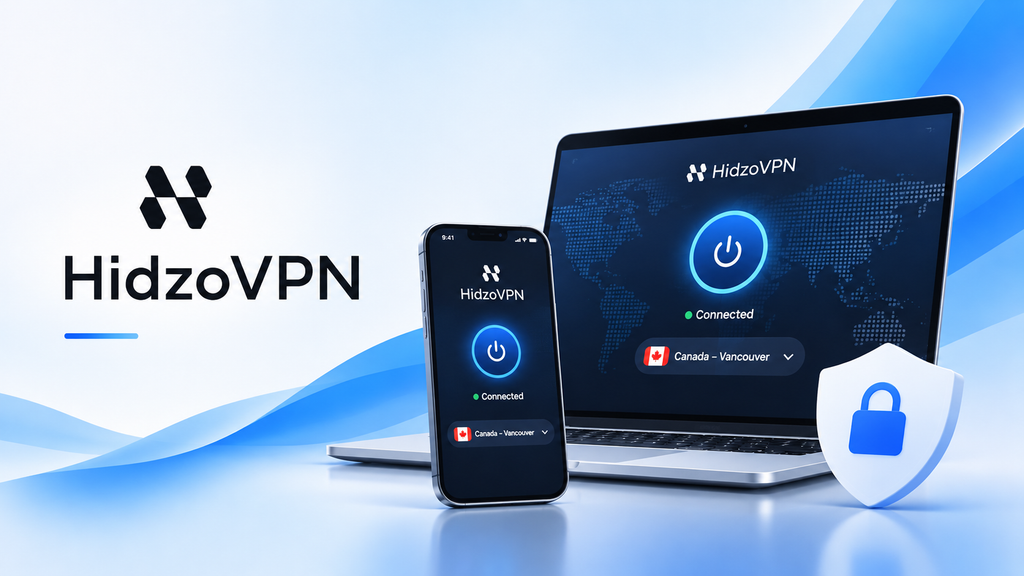
HidzoVPN offers a Guest Mode for iPhone users who prefer to connect without creating an account. Its App Store listing and release history document the account-free option. The app emphasizes straightforward connections rather than manual setup. Users can start with its limited free experience and check the connection status without supplying an email address.
The free tier includes ads, automatic server selection, and 30-minute sessions, making it more appropriate for occasional use than continuous protection. Premium removes those session and advertising limits and provides additional server and protocol controls, as described on the official iOS page.
HidzoVPN supports iOS 15 or later. Its published privacy practices should be evaluated alongside the independent audit evidence available for other services; a simple signup process alone is not a reason to infer stronger privacy. It remains a practical option for short, account-free sessions, with paid upgrades available if those restrictions become inconvenient. As with any free VPN, check the most recent App Store disclosures and plan terms before installation; Guest Mode does not independently verify logging or security claims.
What Does No Signup Really Mean for Privacy?
Using a VPN without creating an account can reduce the amount of personal information shared during registration. When an application does not request an email address, password, or billing details, users avoid providing information that would otherwise be associated with a provider profile.
However, account creation and data collection are separate issues. Registration-free VPNs may still process connection diagnostics, device identifiers, usage statistics, or advertising information. Some technical data helps maintain connections or enforce free-plan limits, while advertising-related tracking introduces additional privacy considerations.
When evaluating a provider, review its logging policy, App Store privacy disclosure, and available independent security assessments. Apple's App Privacy Labels explain how developers disclose their data-handling practices, although those declarations should not be treated as independently verified guarantees.
Security audits can provide stronger evidence about infrastructure and logging practices, but their findings apply to the systems examined at the time. Likewise, websites may still identify visitors through signed-in accounts, cookies, and other tracking methods.
No signup is therefore a convenience and data-minimization feature, not a guarantee of complete anonymity.
How to Connect to a No-Signup VPN on iPhone
Most account-free VPN applications follow a similar setup process, although the exact interface and available settings depend on the provider.
- Install the official application. Open the App Store, find your preferred VPN, and confirm the developer's name. Check that the app supports your current iOS version.
- Choose the guest or free option. Depending on the provider, look for Continue as guest, Get Your Free Plan, or a direct Connect button.
- Select a server if available. Some VPNs automatically choose a location, while others offer a limited list of free servers.
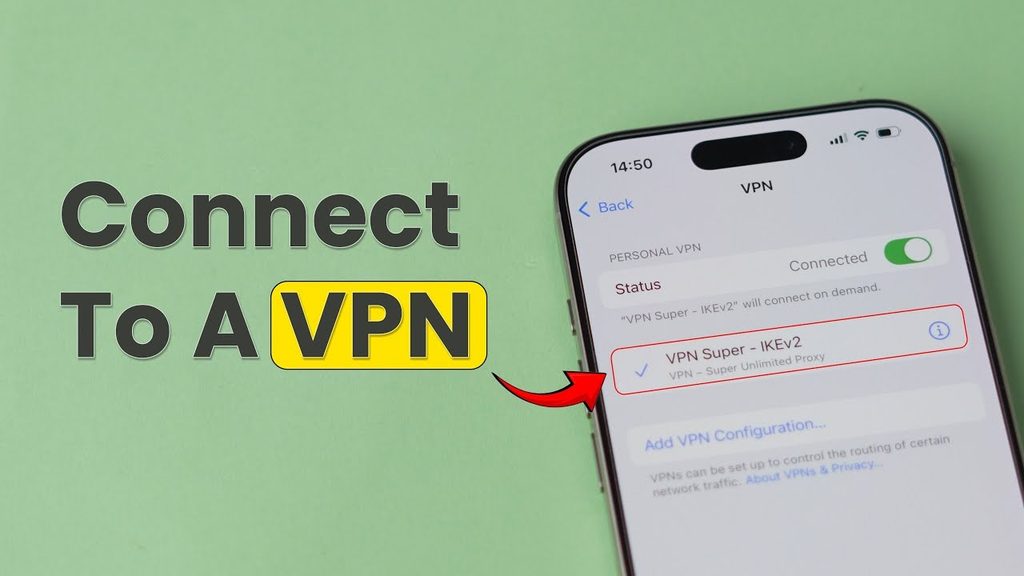
- Approve the VPN configuration. When iOS requests permission to add a VPN configuration, approve it if you trust the application. This system permission is separate from creating an account.
- Connect and check your IP address. Once the VPN reports an active connection, compare your public IP before and after connecting. A different VPN-associated address provides evidence that the tested browser request is passing through the VPN server.
An IP comparison is useful for basic troubleshooting, but it does not verify every application's traffic or establish whether the provider follows its stated logging policy.
Availability also depends on the region associated with your Apple Account. A provider may offer servers in a country without distributing its application through that country's App Store, while local network restrictions can affect connectivity.
Which No-Signup VPN Should You Choose?
The right choice depends on whether you prioritize unlimited usage, server flexibility, restrictive-network access, or simple connections.
Proton VPN is suitable for users who value unlimited free data and independently documented privacy practices, while hide.me offers a more traditional free VPN experience with selectable locations. Psiphon focuses on restrictive networks, and ForestVPN provides defined allowances for occasional use.
VPN Super Unlimited Proxy offers a larger selection of advertised free locations, although its privacy disclosures require consideration. HidzoVPN is particularly relevant for users who want simple guest access with affordable Premium upgrades. Rather than choosing solely by the absence of registration, compare the restrictions and privacy practices that will affect your actual use.
Frequently Asked Questions
Are No-Signup VPNs Always Free?
No. Some providers offer account-free access through a limited free tier, while longer sessions, additional locations, or advanced settings require payment. No-signup access describes the registration process rather than the entire pricing model.
Can I Use a No-Signup VPN in Any Country?
Not necessarily. Availability depends on App Store distribution, provider restrictions, and local network conditions. Psiphon, for example, explicitly states that its iOS application is unavailable in certain countries.
Why Does iPhone Ask Permission to Add a VPN Configuration?
iOS requires VPN applications to receive permission before adding the configuration needed to establish a VPN tunnel. Approving this request allows a trusted application to manage its VPN connection but does not create an account with the provider.