Best VPN for iPhone in 2027: 6 Options Compared
Finding the best VPN for iPhone involves more than choosing the service with the longest feature list or highest advertised speed. A VPN needs to work reliably with iOS, provide appropriate privacy protections, and offer connection controls that fit how you use your phone.
Some iPhone VPNs focus on simple connections, while others provide detailed protocol settings, additional security tools, or support for multiple devices. Free plans also differ considerably, with restrictions on data usage, session duration, or server selection.
This guide compares six VPN services available for iPhone in 2027: ExpressVPN, NordVPN, Private Internet Access, Proton VPN, HidzoVPN, and Surfshark. We examine their iOS features, privacy documentation, practical limitations, and findings from independent reviewers to help you understand which options fit different needs.
Best VPNs for iPhone in 2027: Quick Comparison
The table below highlights the main differences between the six services. Products are presented in editorial order rather than assigned an overall ranking.
| VPN | Main Use Case | Simultaneous Devices | Free Option |
| ExpressVPN | Simple connection controls | 10, 12, or 14 depending on plan | No permanent free plan |
| NordVPN | Broad iOS features and privacy controls | Up to 10 | No permanent free plan |
| Private Internet Access | Protocol and network customization | Unlimited | No permanent free plan |
| Proton VPN | Privacy documentation and unlimited free data | 1 free; up to 10 paid | Yes |
| HidzoVPN | Account-free occasional connections | Up to 5 with Premium | Yes, with session limits |
| Surfshark | Households with multiple devices | Unlimited | Trial, no permanent free plan |
These differences reflect published plan specifications, not original performance testing. The right choice depends on which features you actually need and whether their limitations affect your regular activities.
How We Compared These iPhone VPNs
A useful iPhone VPN comparison should focus on features available in the iOS application rather than assuming that a provider's desktop functionality is identical.
We considered five factors:
- Privacy and security: Published privacy policies, independently audited claims, and the availability of iOS-specific connection protections.
- Usability: How easily users can establish connections, select servers, and manage VPN settings on an iPhone.
- Practical restrictions: Free-plan limitations, device allowances, subscription requirements, and access to advanced features.
- Connection performance: Findings from independent testing, including speed and reliability where comparable evidence is available.
- Maintenance and compatibility: Current iOS support, application updates, and documentation for connection-related issues.
Security and privacy evidence are essential considerations, while the remaining factors help determine suitability for different users. We have not assigned percentage weights or calculated a combined score because equivalent independent testing is unavailable for all six products.
Published reviews also reach different conclusions. TechRadar's October 2026 iPhone VPN comparison places NordVPN first, while Tom's Guide's January 2026 comparison favors ExpressVPN based on its testing and usability assessment.
These rankings belong to their respective publishers. This article does not claim to have independently tested or ranked every product.
Editorial disclosure: This comparison is published by HidzoVPN, which is one of the six services discussed. Its features are evaluated using published product information, and no equivalent independent performance benchmark is available for all six services.
Six VPN Options for iPhone
ExpressVPN: Straightforward iPhone Connections
ExpressVPN focuses on making VPN connections relatively easy to manage. Its iPhone app provides a prominent connection control, recommended server locations, and automatic protocol selection, reducing the amount of configuration required for everyday use.
The application includes Standard and Advanced Internet Kill Switch options. According to ExpressVPN's official iOS security documentation, the Standard option blocks internet access when the VPN unexpectedly disconnects, while the Advanced option applies stricter network blocking. The latter can affect certain features such as AirDrop and CarPlay.
ExpressVPN also supports IP-based split tunneling on iOS, allowing users to exclude specific IPv4 addresses from VPN routing. According to its official iOS Split Tunneling guide, the feature supports individual IPv4 addresses rather than domain names or entire applications. It also cannot be enabled while Advanced Kill Switch is active. These restrictions are worth considering because websites may use multiple or changing IP addresses.
The service supports 10 simultaneous connections with Basic, 12 with Advanced, and 14 with Express Pro, as confirmed in its subscription documentation.
For people who prefer a relatively simple connection interface, ExpressVPN is worth considering. However, it requires a paid subscription for ongoing use, and additional settings or connection allowances depend on the selected plan.
NordVPN: Broad iOS Features and Connection Controls
NordVPN provides a feature-rich iPhone application with automatic connections, manual server selection, and support for several VPN protocols, including NordLynx, NordWhisper, and OpenVPN.
NordLynx is based on WireGuard and is designed for efficient encrypted connections, while NordWhisper is intended to help establish connections on certain networks that restrict conventional VPN traffic.
Its iOS application also provides automatic Wi-Fi connection preferences and a feature called Prevent VPN Bypass. According to NordVPN's Kill Switch documentation, this protection is designed to keep traffic covered by the VPN configuration routed through the encrypted tunnel.
NordVPN supports up to ten simultaneous device connections and has undergone repeated independent no-logs assurance assessments. Independent evaluations have reported strong performance, although results vary by testing method and location. TechRadar places NordVPN first in its current iPhone comparison, while other reviewers favor different services for usability or particular features.
The main tradeoff is complexity. Users who want access to numerous security and connection settings may appreciate the flexibility, whereas someone seeking only a basic connection may find the interface more involved than necessary.
Private Internet Access: Detailed Connection Customization
Private Internet Access, commonly called PIA, provides more detailed iPhone connection settings than many services focused primarily on one-tap access.
Its iOS application supports WireGuard and OpenVPN, along with automatic protocol selection. Users can configure OpenVPN transport and port settings, adjust DNS behavior, and manage automatic connections based on whether the device is using secure Wi-Fi, open Wi-Fi, or cellular data.
These capabilities are explained in PIA's official iOS settings documentation.
The app also includes a VPN Kill Switch that blocks internet traffic during unexpected connection interruptions. PIA supports unlimited simultaneous connections, making it relevant to users with several devices as well as those who want detailed configuration controls.
The additional settings can be useful when troubleshooting unstable connections or working with restrictive networks. However, manually changing protocols does not guarantee better speed, and users unfamiliar with VPN configuration may find some of the options unnecessary.
For everyday use, the automatic settings provide a reasonable starting point. PIA is more distinctive when users need to investigate or adjust how their connections behave.
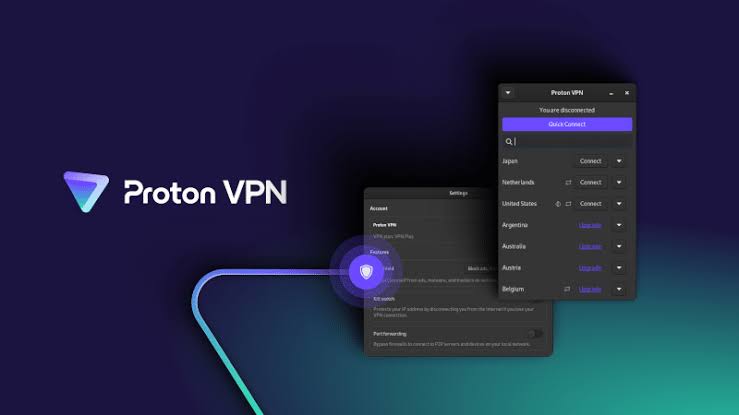
Proton VPN: Privacy Transparency and Unlimited Free Data
Proton VPN distinguishes itself through its published privacy documentation, open-source applications, and a permanent free plan without a conventional monthly data allowance.
Its iPhone app supports modern VPN protocols, automatic connections, and a kill switch. The free version allows one VPN connection at a time, while paid plans offer additional server locations, more advanced features, and support for up to ten simultaneous devices.
According to Proton VPN's official data-limit documentation, free users receive unlimited data and bandwidth, although performance still depends on server load and the underlying network.
Privacy transparency is another notable consideration. Proton publishes independent security assessments and external reviews of its no-logs policy. Its audit documentation includes the results of its fifth consecutive annual no-logs assessment, updated in 2027.
These reports provide more detailed evidence than an unaudited privacy statement, although an audit applies to a defined scope and cannot guarantee that every future configuration or application behavior will be free from problems.
Proton's free plan may appeal to users who want regular VPN access without a monthly data cap. However, free users have fewer options for selecting server locations, and certain features remain exclusive to paid subscriptions.
HidzoVPN: Account-Free Access for Occasional Use
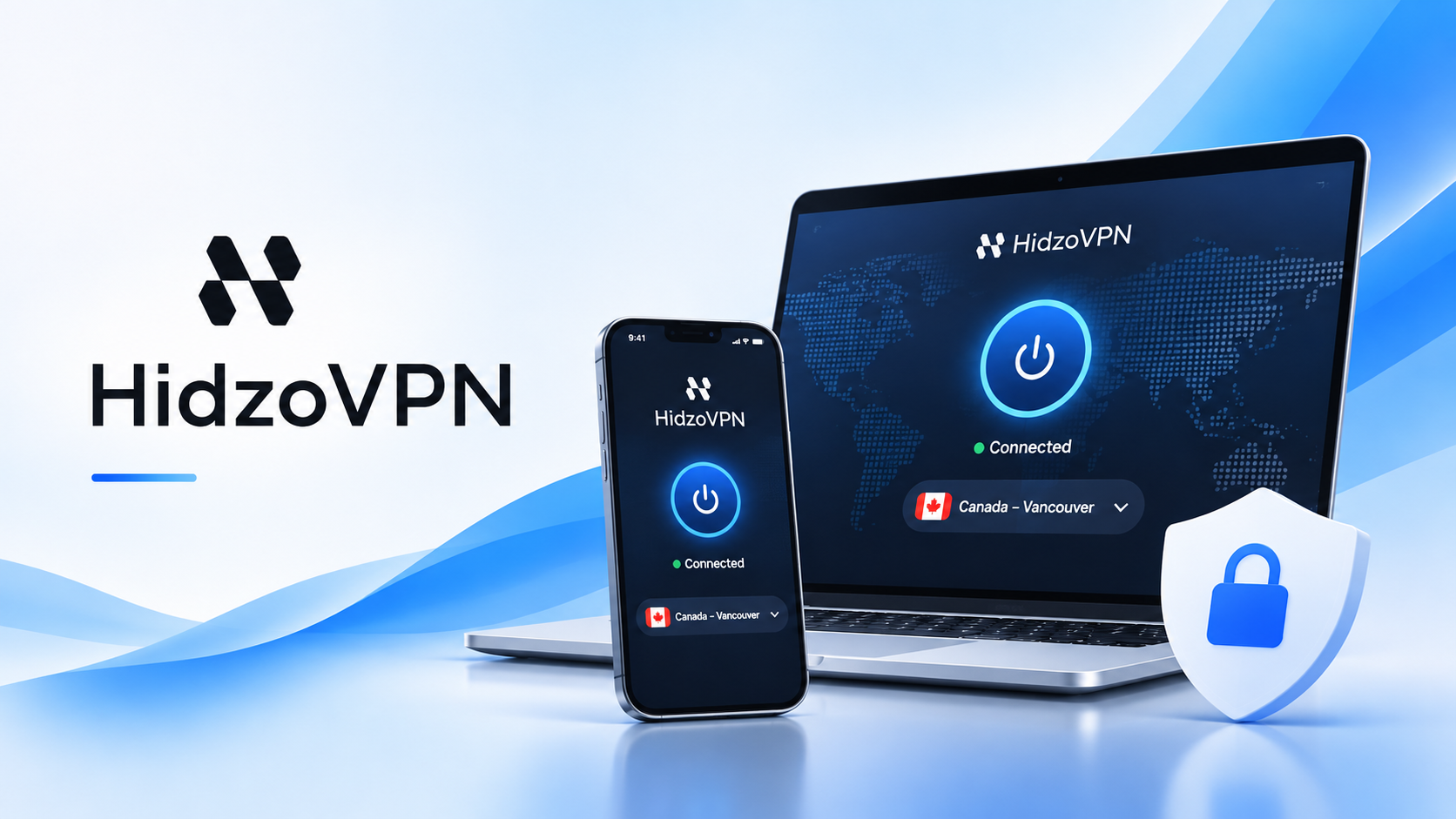
HidzoVPN offers an iPhone application with a free option that can be used without creating an account. Its Guest Mode allows users to establish a connection without completing a conventional registration process, which may be convenient for people who only need VPN access occasionally.
The HidzoVPN App Store listing documents Guest Mode and recent application updates. The service's official iOS comparison also explains the differences between Free and Premium access.
The free plan provides automatic server selection, Standard connection speed, and 30-minute sessions supported by advertisements. Premium removes the session-duration limit and provides manual server and protocol selection, additional settings, and support for multiple devices.
These restrictions are important when comparing HidzoVPN with services offering unlimited free data or longer uninterrupted connections. A short session may be manageable for occasional browsing, while users who need specific server locations or continuous VPN coverage may require greater flexibility.
Although HidzoVPN documents its features and publishes application updates, comparable independent iPhone speed, reliability, and security assessments are less readily available than for several established providers. Its advertised functionality should therefore not be interpreted as proof of superior connection performance or privacy protection. If avoiding account registration is important to you, exploring the Best No-Signup VPNs for iPhone can help you compare services that offer convenient connections without requiring personal account details.
Surfshark: Unlimited Connections Across Devices
Surfshark is particularly relevant for people who want a single subscription to cover several devices. Unlike services with fixed simultaneous-connection limits, its standard paid subscriptions allow unlimited device connections.
Its iOS application includes automatic connections, a Kill Switch, CleanWeb filtering, and MultiHop. CleanWeb is intended to block certain advertising and tracking domains, while MultiHop routes traffic through two VPN servers instead of one. The official Surfshark iOS documentation describes these features and the provider's device policy.
Surfshark also supports Bypasser on iPhone, although its iOS implementation is limited to website-related exclusions rather than full application-based split tunneling. This distinction may matter for people who need individual apps to operate outside the VPN.
The provider has undergone external security and no-logs assessments, including a Deloitte assurance engagement in 2025. These findings provide additional evidence about specific privacy practices but should not be interpreted as a guarantee of complete anonymity.
For households using multiple phones, computers, and tablets, unlimited connections are a practical advantage. However, users who need detailed app-level routing controls or a permanent free plan should consider those limitations before subscribing.
How to Choose the Right VPN for Your iPhone
The most useful way to choose an iPhone VPN is to identify which capabilities matter for your regular activities.
If you prefer simplified connection management, ExpressVPN may fit your needs. NordVPN provides a broader collection of privacy and network controls, while PIA offers more detailed protocol configuration for users who want to customize their connections.
For households with many devices, Surfshark's unlimited connection allowance may be more important than having additional advanced settings. Free access introduces different tradeoffs. Proton VPN provides unlimited free data with restricted server selection, while HidzoVPN offers account-free access with automatic connections and time-limited sessions. Neither approach is universally preferable because the restrictions affect different activities.
Before choosing any service, consider whether you need continuous protection, access to a particular country, multiple simultaneous devices, or more control over VPN protocols.
It is also worth examining how each provider supports its privacy claims. An independently audited no-logs policy provides stronger evidence than a statement published only by the provider, although even a completed audit has limits.
Finally, remember that using a VPN does not make an iPhone completely anonymous or eliminate ordinary online threats. Apple already provides important device security protections, and most reputable websites encrypt their communications. A VPN adds another layer of network privacy for traffic routed through its connection. It is most useful when those additional protections address a particular need. If you are not ready to purchase a subscription, exploring our Best Free VPN for iPhone guide can help you understand available options, common limitations, and the features worth considering before choosing a free service.
Frequently Asked Questions
What Is the Best VPN for iPhone in 2027?
The best VPN for iPhone depends on your privacy needs, budget, and preferred features. NordVPN offers extensive security controls, while ExpressVPN focuses on ease of use. Surfshark supports unlimited device connections, and Private Internet Access provides advanced customization. Proton VPN and HidzoVPN also offer free options with different limitations. Comparing their iOS features and privacy policies can help you choose the right service.
What Is the Best Free VPN for iPhone?
Proton VPN and HidzoVPN are two free VPN options for iPhone users. Proton VPN offers unlimited free data with restrictions on server selection and simultaneous connections. HidzoVPN provides account-free access through Guest Mode, with automatic server selection and 30-minute ad-supported sessions. Proton VPN may suit regular use, while HidzoVPN may be convenient for occasional connections without registration.
Does an iPhone Have a Built-In VPN?
iPhones include built-in support for VPN configurations, but Apple does not automatically provide a general-purpose VPN service. You can connect to a compatible VPN server through iOS settings or install a VPN application from the App Store. Apple also offers iCloud Private Relay for eligible iCloud+ subscribers, but it does not provide the same functionality as a full VPN.
Are Free VPNs Safe to Use on iPhone?
Some free VPNs provide reliable security features and transparent privacy practices, but not every service offers the same protection. Before installing a free VPN, review its privacy policy, encryption protocols, data collection practices, and independent security assessments. Free plans may also include advertisements, connection limits, or restricted server access.
Will Using a VPN Slow Down My iPhone?
A VPN may slightly reduce internet speed or increase latency because your traffic passes through an encrypted connection and an additional server. Performance depends on server distance, network congestion, VPN protocol, and your original internet connection. Choosing a nearby server and a suitable protocol may help maintain faster speeds.
Which VPN Features Should I Look for on iPhone?
Important iPhone VPN features include strong encryption, modern VPN protocols, a clear privacy policy, and reliable connection protection. A kill switch can help prevent unwanted traffic exposure during VPN interruptions. Automatic connections, convenient server selection, independent privacy audits, regular iOS updates, and support for multiple devices are also worth considering.
Are Free VPNs Safe to Use on iPhone?
Some free VPNs offer reliable security features, but others may have questionable data collection practices, intrusive advertisements, or limited privacy protections. Before installing one, review its privacy policy, encryption standards, and independent security assessments. For a closer look at potential concerns, read Free VPN for iPhone Risks.
Does Using a VPN Drain Your iPhone Battery?
Using a VPN can increase battery consumption because it maintains an encrypted connection and processes network traffic. The impact depends on the VPN protocol, server stability, and connection quality. If you notice excessive battery usage, our guide on VPN Draining Your iPhone Battery explains possible causes and ways to improve battery efficiency.