Fastest VPN for iPhone in 2027: 8 Options Compared
The fastest VPN for iPhone depends on what you're doing. High download speeds help with streaming and large files, while gaming and video calls depend more on latency, connection stability, and packet loss. A result from one Wi-Fi test cannot predict performance on every iPhone.
This guide compares eight iPhone VPN options using a published 2027 speed test, official iOS feature documentation, and available privacy evidence. We didn't conduct our own performance tests, and we won't assign a speed rank to a service the source didn't measure.
iPhone VPN Speed Test Results in 2027
JoshWP's September 25, 2026 comparison reports five download tests per provider on an iPhone 16 Pro, using Wi-Fi 6, a 1 Gbps connection, each app's default protocol, and the nearest available U.S. server. The figures below are the reported median download speeds.
| Tested VPN | Median download speed |
| NordVPN | 950 Mbps |
| ExpressVPN | 920 Mbps |
| Surfshark | 870 Mbps |
| Proton VPN | 760 Mbps |
| CyberGhost | 690 Mbps |
| Private Internet Access | 640 Mbps |
| IPVanish | 580 Mbps |
| SafeShell | 420 Mbps |
These numbers come from JoshWP, which discloses affiliate relationships. Individual test logs and clearly identified subscription tiers for every provider are not available in the published comparison. Treat the figures as a reference for download throughput in one test environment, not proof of superior gaming latency, privacy, or cellular performance.
Why Isn't SafeShell Profiled Below?
The benchmark tested eight services. Here, we describe its seven highest-throughput entries plus HidzoVPN as an additional iPhone option. SafeShell remains in the table for completeness, but has no separate profile. HidzoVPN wasn't tested by JoshWP, so assigning it a comparable speed figure would be misleading.
How We Compared the iPhone VPNs
We considered the source's download results, supported iPhone protocols and controls, privacy documentation, and practical restrictions. The product profiles are alphabetical, not an overall ranking. A fast download result alone doesn't establish reliability during network changes or stronger protection.
Editorial note: HidzoVPN is one of the services included in this comparison. Its features and limitations are described from official product documentation, and it has no comparable result in the cited benchmark. All speed figures are attributed to JoshWP; none were measured for this article.
Eight VPN Options for iPhone
CyberGhost: Server Choice and Automatic Protection
CyberGhost offers iPhone connections through WireGuard and IKEv2, alongside server selection and automatic Wi-Fi protection. Its iOS documentation describes the available controls. Trying another server can help when a connection is congested, but the size of a provider's network doesn't guarantee lower ping. JoshWP reported 690 Mbps in its download test; that figure doesn't establish streaming compatibility or cellular stability.
ExpressVPN: Lightway and Easy Connection Controls
ExpressVPN uses its Lightway protocol and offers automatic connection settings intended to reduce setup complexity. Its iPhone setup guide explains the connection controls, while its Lightway overview documents the protocol. The reported 920 Mbps was the second-highest download result in JoshWP's test. It doesn't prove that ExpressVPN has the second-lowest gaming ping, especially on distant servers.
HidzoVPN: Simple Setup, With Unverified Speed
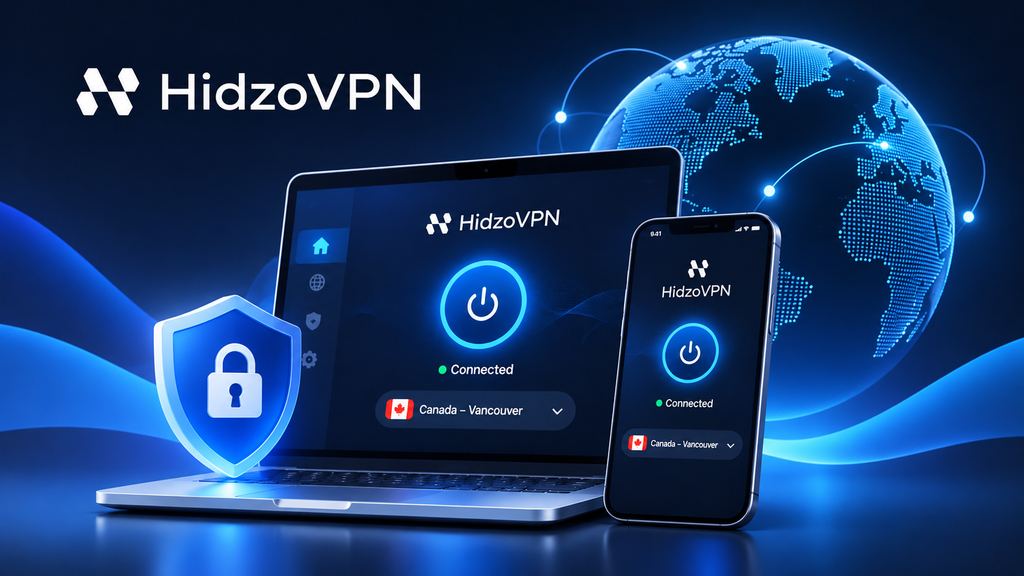
HidzoVPN's iOS feature comparison describes automatic server and protocol selection. Its Free tier includes ads, standard-speed connections, and 30-minute sessions; Premium adds manual controls and removes the session limit. Those differences matter for extended use. However, no comparable independent iPhone download or latency benchmark for HidzoVPN appears in the cited source. Its optimization features should therefore be treated as provider descriptions rather than demonstrated advantages over the other services.
IPVanish: Multiple Devices Under One Plan
IPVanish supports WireGuard and allows multiple devices under one subscription, which may suit households using iPhones alongside computers and tablets. TechRadar's IPVanish review discusses its device policy and platform features. JoshWP reported 580 Mbps. That is a single test result, not an indication that every IPVanish connection will be slower, nor does support for more devices imply better performance on one phone.
NordVPN: NordLynx and Strong Reported Downloads
NordVPN uses NordLynx, its WireGuard-based protocol, and offers automatic server selection. Its protocol documentation explains how NordLynx works. NordVPN recorded 950 Mbps, the highest median download figure in the cited benchmark. Its no-logs information also discusses external assessments, although privacy assurance and speed are separate questions. The download result doesn't establish a universal lead in latency or stability.
Private Internet Access: More iOS Settings
Private Internet Access (PIA) offers WireGuard and OpenVPN with additional connection settings. Its iOS configuration guide covers protocol, DNS, and network automation controls. These are useful for troubleshooting restrictive networks, although changing settings isn't inherently faster than leaving them automatic. JoshWP recorded 640 Mbps. Users who prefer more configuration options may value PIA despite a lower result in that particular test.
Proton VPN: Published Privacy Evidence and a Free Plan
Proton VPN offers a permanent free plan with unlimited data, alongside paid subscriptions and published security and no-logs assessments. JoshWP recorded 760 Mbps, but did not clearly specify the subscription tier used. The result must not be presented as a measurement of Proton VPN Free. For users comparing plans, server restrictions and privacy evidence may be more relevant than a paid-or-unspecified-tier download number.
Surfshark: Unlimited Devices and iOS Protection Tools
Surfshark offers unlimited simultaneous device connections and an iPhone app with WireGuard, Quick Connect, CleanWeb, and a kill switch. Its official iOS page describes those features. The benchmark reports 870 Mbps, third among the tested providers. Device coverage can be valuable for families, but it shouldn't be mistaken for evidence of lower latency, better battery life, or stronger security. Those outcomes require separate testing.

What Makes a VPN Fast on iPhone?
Download Speed, Ping, and Packet Loss
Download speed measures the rate of data transfer in Mbps; it matters for files and high-resolution video. Latency, or ping, measures response time, while jitter measures how much that delay varies. Packet loss occurs when transmitted packets fail to arrive. Online games and calls can feel sluggish even on a high-Mbps connection if those other measurements are poor. JoshWP's download table doesn't provide comparable results for all three.
Server Distance and Network Quality
Nearby servers often reduce network distance, but congestion and poor routing can outweigh geography. Your Wi-Fi quality, cellular signal, and internet provider also influence the result. If speeds vary, try another available location before assuming the VPN itself is consistently slow.
VPN Protocols and Network Switching
WireGuard-based protocols, Lightway, IKEv2, and OpenVPN handle connections differently. No protocol wins under every condition. On an iPhone, the ability to reconnect after moving between Wi-Fi and cellular data may matter more than a high download benchmark obtained on steady Wi-Fi.
How to Test VPN Speed on Your iPhone
A quick comparison on your own connection is more useful than treating someone else's test as a guarantee:
- On a stable network, test download speed, upload speed, and latency with the VPN off.
- Connect your VPN to a nearby server, if available, and repeat the same test.
- Measure jitter and packet loss if your tool supports them, particularly for gaming and calls.
- Repeat several times under similar conditions and compare typical results rather than one run.
For example, a connection that drops from 200 Mbps to 170 Mbps shows a 15% measured reduction: (200 − 170) ÷ 200 × 100. Other changing network conditions may contribute, so the calculation doesn't isolate VPN overhead perfectly. Also test reconnection after switching networks if you use your iPhone while traveling.
Frequently Asked Questions
Is the VPN With the Highest Download Speed Best for Gaming?
Not necessarily. Gaming responsiveness depends on latency, jitter, packet loss, and the route to the game server. Compare those measurements rather than choosing solely by Mbps.
Can a Free VPN Be Fast on iPhone?
Yes, but free tiers may restrict server choice, connection priority, or usage. A benchmark that doesn't identify the tested subscription tier cannot be assumed to describe the free version.
Are Wi-Fi VPN Speed Tests Relevant to Cellular Users?
They provide context, not a prediction. Cellular signal, congestion, provider routing, and movement between networks can change performance substantially.