How to Change App Store Region on iPhone (2027 Guide)
Changing the App Store region on an iPhone requires updating the country or region associated with your Apple Account for Media & Purchases. It is not the same as changing your iPhone's language settings or connecting to a VPN server in another country.
Before switching, check your Apple Account balance, subscriptions, pending transactions, Family Sharing status, and payment information. These requirements can prevent the change or affect services and purchases afterward. This guide explains the current iPhone steps, what to prepare, and how to resolve common problems using Apple's official instructions.
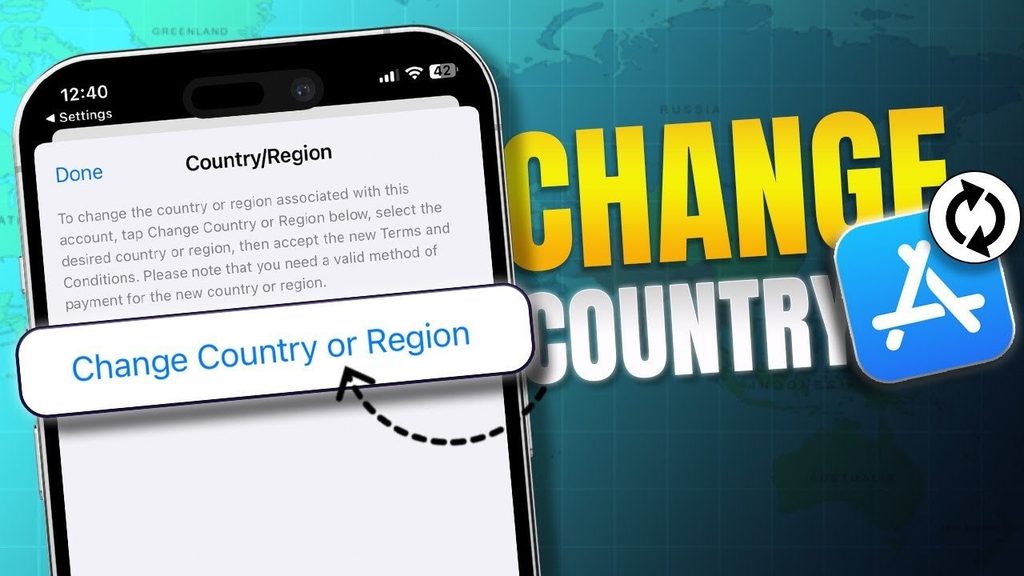
How to Change App Store Region on iPhone
According to Apple's official guide, Change your Apple Account country or region, follow these steps: Open Settings and tap your name at the top.
- Tap Media & Purchases. Sign in if prompted.
- Select Country/Region. On some older iOS interfaces, you may first need to tap View Account.
- Choose the new country or region and tap Continue.
- Review the Terms and Conditions, then tap Agree.
- Select an available payment method, enter any required payment information and billing address, and tap Done.
Your new App Store region is associated with the Apple Account used for Media & Purchases. If the option is unavailable or you cannot complete the process, review the account requirements below rather than repeatedly trying the same steps. If you're changing your App Store region to access a VPN application, explore our Best VPN for iPhone guide to compare available services, security features, and free options before installing.
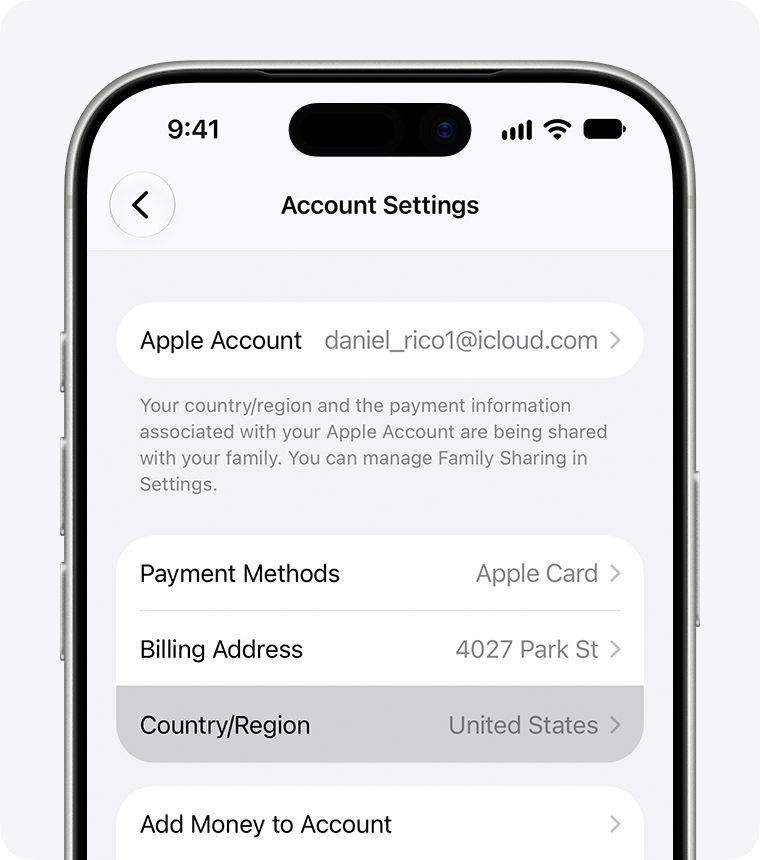
Country/Region in Account Settings on iPhone.
What to Check Before Changing Your App Store Country
Clear Your Apple Account Balance
Apple requires you to spend any remaining Apple Account balance before changing countries or regions. To check it, open the App Store and tap your profile picture or account icon. If a balance is available, it appears below your name. If no amount is shown, Apple says you have no remaining balance.
A small amount of credit can be difficult to spend if it is worth less than any available item. In that situation, Apple recommends contacting Support to clear the balance rather than assuming it will disappear automatically.
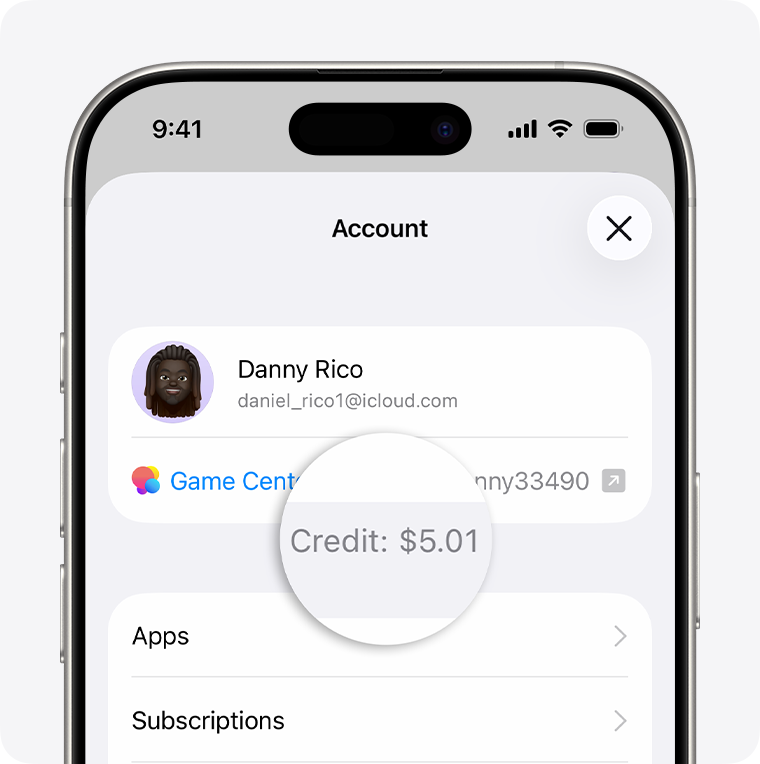
Apple Account balance on the App Store profile screen.
Review Subscriptions and Pending Transactions
Some active subscriptions can block a region change. If one is preventing you from switching, open Settings > Your Name > Subscriptions, select the relevant subscription, and choose Cancel Subscription. Cancellation does not always remove the restriction immediately because the current subscription period may need to end first.
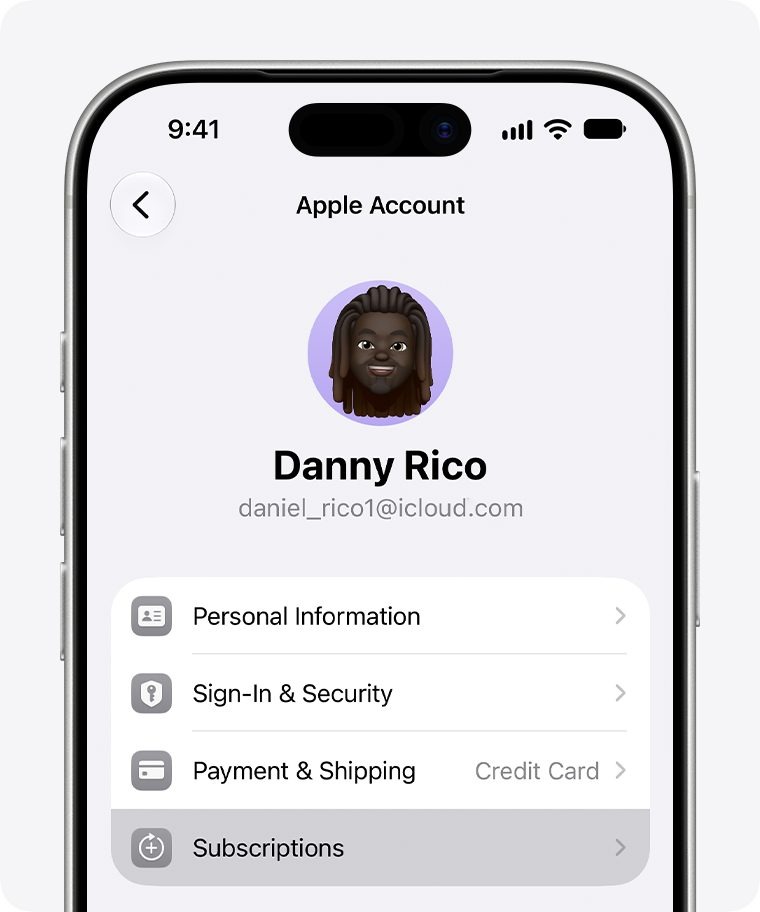
Subscriptions in Apple Account settings.
You may also need to wait for memberships, pre-orders, movie rentals, Season Passes, and pending refunds to finish. Apple recommends resolving these before attempting the change. If you use Apple One or iCloud+, check the consequences of cancellation for your services and stored information before taking action; you may need to subscribe again after moving to the new region if those services are available there.
Check Family Sharing and Payment Methods
Membership in a Family Sharing group can prevent a region change. If leaving the group is necessary, understand the consequences first: you may lose access to purchases, subscriptions, and other services shared by family members.
Apple may also require a valid payment method and billing address for the destination country. Supported options vary by region, and a card accepted in your current country might not work in another. Consult Apple's country-by-country payment methods rather than assuming that Apple Pay, PayPal, a gift card, or a particular credit card will be accepted everywhere.
Can you change regions without a payment method? There is no guaranteed method for switching an existing Apple Account without satisfying Apple's payment requirements. Apple's official region-change guidance says that if you do not want to provide a payment method, you can wait until you are physically in the destination country or region and create a new Apple Account there. This is not a universal workaround for moving an existing account.
App Store Region vs. VPN Location and iPhone Region
Does a VPN Change Your App Store Country?
No. A VPN can change the public IP address and approximate IP-based location seen by websites, but it does not update the country assigned to your Apple Account. For example, using a U.S. VPN server does not convert a UK Apple Account into a U.S. App Store account. It also does not clear your balance, cancel subscriptions, change Family Sharing membership, or replace the payment information Apple requires.
Is Changing Language & Region the Same Thing?
No. Settings > General > Language & Region controls device-level preferences such as regional formats for dates, numbers, temperature, and measurements. It does not change the App Store country linked to Media & Purchases.
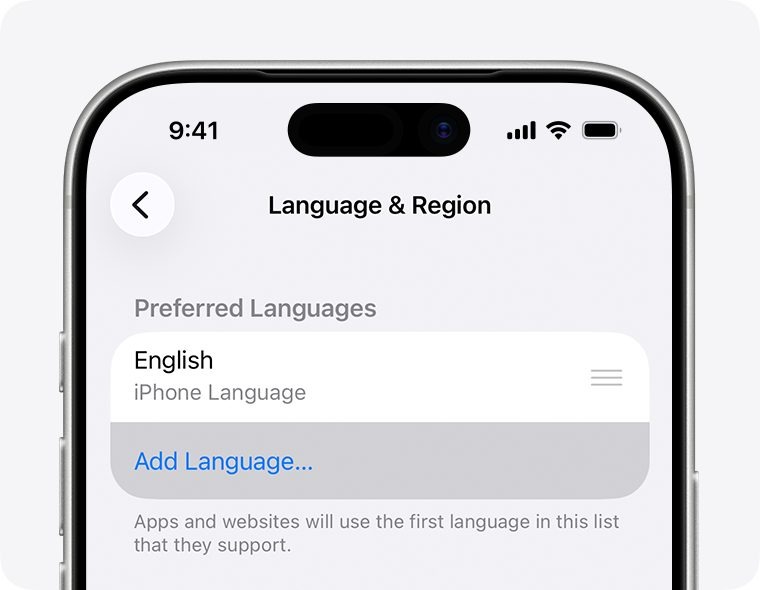
The separate Language & Region screen.
What Happens to Apps, Purchases, and Subscriptions?
Changing your Apple Account region can affect which apps, subscriptions, and other content are available. App availability depends on developer distribution choices, licensing arrangements, and regional services. Apple therefore recommends redownloading important apps, music, movies, TV shows, and books before switching, because some content may not be offered in the destination region.
Existing installed apps do not automatically disappear merely because you change your App Store country. However, an app unavailable in the new region might be difficult to redownload or obtain from its App Store listing later. Subscriptions and their prices can also differ, and a subscription canceled before the change should not be assumed to be available for renewal in the destination country.
Creating a second Apple Account is not necessarily easier. Separate accounts can complicate purchase history, subscriptions, updates, and ongoing account management. Apple specifically describes creating a new account after arriving physically in the destination country when you do not want to provide a payment method; it does not present an additional account as a guaranteed way around regional requirements.
After a successful change, open the App Store and check whether the expected regional catalog appears. Also confirm your billing details, essential subscriptions, purchased content, and important apps. A region change cannot make an app available in a country where its developer does not distribute it.
Why Can't I Change My App Store Region?
If the Country/Region setting is missing or the change fails, identify the requirement that is blocking your account instead of changing your VPN or iPhone language settings. The most common blockers are remaining account credit, an active subscription that must expire, incomplete purchases or refunds, Family Sharing membership, or billing information that is not accepted in the destination country.
Start by checking your App Store account balance and Settings > Your Name > Subscriptions. If those are clear, review pending transactions, Family Sharing, and the destination country's payment methods. For an unspendable small balance, contact Apple Support.
Changing your App Store region does not automatically change your VPN configuration or connection behaviour. If you want your VPN to reconnect automatically or remain enforced on a managed device, our Always on VPN iOS guide explains the available connection settings and their limitations.
Frequently Asked Questions
Can I Change My App Store Region Again Later?
Potentially, yes, provided your Apple Account meets the applicable requirements at the time. Changing regions again may involve the same balance, subscription, payment, and content restrictions, so it is not a reliable temporary switch for accessing a single app.
How Long Does an App Store Region Change Take?
Apple does not promise one fixed completion time for every account. The on-device steps may be quick once you are eligible, but an active subscription period, pending refund, or other unfinished transaction can delay the change until it is resolved.
Can I Change My Apple Account Region on the Web Instead?
Yes. Apple also supports changing the region through account.apple.com > Personal Information > Country/Region. Follow the prompts and complete any required billing details. Using the web does not remove the account eligibility requirements described above.
Can iCloud Private Relay Change My App Store Region?
No. iCloud Private Relay helps protect your browsing privacy in Safari, but it does not change the country or region associated with your Apple Account. Changing your App Store region requires updating your Apple Account settings and meeting Apple's eligibility requirements. To understand the differences between these privacy technologies, read our iCloud Private Relay vs VPN comparison.