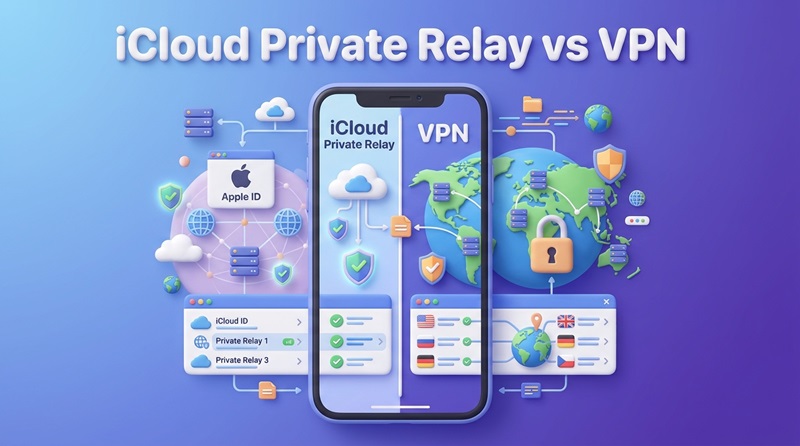
iCloud Private Relay vs VPN: Which Is Better in 2027?
iCloud Private Relay and a VPN can both hide your normal public IP address for traffic they protect, but they work differently and are designed for different privacy needs.
Private Relay is an iCloud+ feature that primarily protects Safari browsing, while a VPN can route traffic from more apps through an encrypted connection and usually gives you greater control over server locations. Although both can improve online privacy, neither is automatically the better choice for every iPhone user. If your main goal is more private Safari browsing with minimal setup, Private Relay may be sufficient. A VPN is generally more suitable when you need broader app coverage, selectable server countries, or additional connection controls. Understanding how each service works will help you choose the option that matches your needs.
iCloud Private Relay vs VPN: Quick Comparison
The table below highlights the main differences between iCloud Private Relay and a traditional consumer VPN.
| Feature | iCloud Private Relay | VPN |
| Hides original IP address | Yes, for protected traffic | Yes, for VPN-routed traffic |
| Safari protection | Yes | Yes |
| Broader app traffic | Limited | Usually yes |
| DNS privacy | Yes, for covered requests | Usually, depending on provider |
| Choose a server country | No | Usually yes |
| Streaming region use | Not designed for it | More suitable, without guarantees |
| Privacy architecture | Two separate relays | Usually one VPN provider |
| Included with iCloud+ | Yes | No |
| Free options | No separate free tier | Some VPNs offer free plans |
| Manual server selection | No | Usually |
| Works outside Apple devices | No | Depends on provider |
| Best suited to | Safari-focused privacy | Broader VPN use |
The main difference is not simply how much privacy each service provides, but which traffic it protects and how the connection is managed. If you need protection beyond Safari browsing, choosing the Best VPN for iPhone can help you compare services that offer broader network traffic protection, server selection, and additional privacy controls.
What Is iCloud Private Relay and How Does It Work?
iCloud Private Relay is a privacy feature included with iCloud+. It is designed to make browsing in Safari more private by preventing a single network participant from connecting a user's original IP address with the websites they visit.
The first relay receives the user's IP address but does not know the final website destination. The second relay helps connect to the destination website without receiving the user's original IP address. This separation reduces the ability of any single participant to associate a user's identity with their browsing activity. Private Relay primarily protects Safari browsing, DNS name-resolution requests, and certain unencrypted HTTP traffic from apps. It is not a conventional VPN and should not be treated as a complete replacement for VPN protection across every application.
How to Turn On iCloud Private Relay on iPhone
To enable Private Relay, you need an active iCloud+ subscription and an iPhone running a supported version of iOS. The feature must also be available in your country or region.
Follow these steps:
- Open Settings on your iPhone.
- Tap your name at the top.
- Select iCloud.
- Tap Private Relay.
- Turn on Private Relay.
Once enabled, the service automatically protects supported traffic without requiring you to choose a server or manually establish a connection.
You can also adjust how precisely websites see your approximate location. Under Settings > Your Name > iCloud > Private Relay > IP Address Location, choose either Maintain General Location for more relevant local results or Use Country and Time Zone for a broader location. Private Relay must be enabled separately on each device where you want to use it.
Where Is iCloud Private Relay Available?
Private Relay is not available in every country or region, even when iCloud+ subscriptions or other iCloud services are supported. Apple's official iOS and iPadOS feature availability list includes Private Relay in countries such as the United States, Canada, the United Kingdom, Australia, and Germany. However, the current list does not include certain locations, including mainland China and Iran.
Availability can change, so users should consult Apple's country-by-country list rather than assuming that an iCloud+ subscription guarantees access everywhere. If you travel to a country where Private Relay is unavailable, Apple states that the feature automatically turns off and becomes active again when you return to a supported region. Your iPhone will notify you when its availability changes.
iCloud Private Relay vs VPN: Key Differences
1. Traffic Coverage
One major difference between Private Relay and a VPN is how much internet traffic they protect. Private Relay primarily protects Safari browsing, along with DNS requests and certain unencrypted HTTP traffic from apps. However, it does not cover every connection made by every application.
A VPN generally offers broader coverage by routing traffic from Safari and other applications, including messaging, streaming, and social media apps, through an encrypted tunnel. Coverage still depends on the VPN configuration, and certain traffic may bypass the tunnel. For users seeking protection beyond Safari and related traffic, a VPN is typically more suitable.
2. Privacy Architecture and Trust
Private Relay and VPNs use different approaches to privacy. Private Relay separates a user's original IP address from the websites they visit through two independent relays, making it difficult for either relay operator to link the user's identity and browsing destination.
A traditional VPN routes protected traffic through the provider's servers. This makes the provider's logging policies, security practices, and data handling particularly important. Although HTTPS still protects encrypted website content, the VPN provider may have access to certain network information.
Private Relay provides a distinctive privacy model for supported traffic, while a trustworthy VPN can protect a wider range of connections. Neither guarantees complete anonymity or prevents tracking through logged-in accounts.
3. Country Selection and Streaming
Private Relay does not allow users to select VPN-style server locations in specific countries. Instead, it provides an IP address that maintains an approximate geographic location or a broader country-and-time-zone location.
Most VPN services offer server selection across multiple countries, allowing websites to see an IP address associated with the chosen server location. This can be useful for accessing location-dependent services, including some streaming platforms.
However, selecting a VPN server in another country does not guarantee access to regional streaming content. Services may use account information, VPN detection, and other location checks to determine availability. Also, changing your IP-based location does not change your iPhone's actual GPS location or Location Services settings.
Price, Ease of Use, and Connection Control
How Much Does Private Relay Cost Compared With a VPN?
Private Relay does not require a separate standalone subscription because it is included with iCloud+. The 50GB iCloud+ plan in the United States starts at $0.99 per month, according to Apple's official iCloud+ pricing. Prices and available plans vary by country.
Because iCloud+ also includes storage and other Apple services, the subscription price is not solely for Private Relay. For users already paying for iCloud+, the privacy feature is included without an additional charge. VPN services have different pricing structures, including free plans, monthly subscriptions, annual memberships, and longer-term packages. Free VPN plans may limit data usage, server selection, connection duration, or available features, while paid services generally provide broader options.
For example, HidzoVPN offers a one-month plan at $4.99 and a 12-month subscription equivalent to approximately $2.49 per month, based on its stated pricing. Actual subscription charges and regional pricing should be confirmed before purchase. The better value depends on what you need. Private Relay may be sufficient if you already subscribe to iCloud+ and mainly use Safari, while a separate VPN subscription may be worthwhile when broader app coverage or server-country selection is important.
Which Is Easier to Use?
Private Relay requires relatively little management. Once enabled, it automatically protects supported traffic without requiring regular server selection or protocol changes. A VPN generally offers more flexibility, although this also introduces additional settings. Depending on the provider, users may be able to select servers, change protocols, enable automatic connections, configure a kill switch, or manage DNS and other security options.
For someone who prefers a simple privacy feature that operates with minimal interaction, Private Relay has an advantage. Users who want greater control over their connection may find a VPN more suitable.
Can You Use iCloud Private Relay and a VPN Together?
Private Relay and a VPN can both be enabled on the same iPhone, but this does not mean every connection passes through two separate privacy tunnels. When an active VPN configuration handles internet traffic, that traffic follows the VPN configuration rather than being routed through Private Relay first.
The routing of other connections depends on the device's network configuration. As a result, enabling both services should not be interpreted as automatically providing twice the privacy protection for the same traffic. Some networks or VPN configurations may also interfere with Private Relay functionality. If a particular website or network does not work correctly, Apple provides several ways to manage the feature without necessarily disabling it for the entire device.
For example, you can check the Private Relay setting for a Wi-Fi network under Settings > Wi-Fi, then open the network's information or available-actions menu and review Limit IP Address Tracking. Apple also provides separate controls for cellular connections. A VPN running on your iPhone does not necessarily protect devices connected through its Personal Hotspot. If you share your mobile connection with a laptop or tablet, our VPN for iPhone Hotspot guide explains how VPN routing works with tethering and what you can do to protect connected devices.
Which Should You Choose: iCloud Private Relay or a VPN?
The better option depends on which privacy features matter most to you. Choose iCloud Private Relay if Safari is your main browser, you want to hide your precise IP address during supported browsing, and you prefer a service that works automatically without selecting VPN servers. It is particularly convenient when you already subscribe to iCloud+ and do not need to choose a different country for your connection.
Choose a VPN if you want broader traffic coverage across applications, need to select server countries, or prefer more control over network behavior. Features such as auto-connect, protocol selection, and a kill switch can also make a VPN more appropriate for users with specific connection or privacy requirements. Private Relay remains a focused Apple privacy feature, while a VPN is a more flexible networking tool. Your decision should be based on the traffic you want to protect and the level of control you need, rather than assuming either service offers complete anonymity.
Frequently Asked Questions
Does iCloud Private Relay Make You Anonymous?
No. Private Relay hides the original IP address for supported traffic and helps prevent network providers and websites from building a detailed profile based on that information. However, websites can still identify users through signed-in accounts, cookies, and other tracking methods. Private Relay improves privacy but does not provide complete anonymity.
Does Private Relay Work With Chrome or Other iPhone Browsers?
Private Relay is primarily designed around Safari and does not automatically provide the same browsing protection to every third-party browser. Some DNS requests and unencrypted HTTP traffic may still receive protection, depending on how the connections are handled. If you need broader browser and application coverage, a VPN is generally the more suitable option.
What If Private Relay Stops Working on a Particular Website?
Some websites use IP filtering, monitoring, or rate limits that can cause compatibility problems with relay addresses. Apple allows users to temporarily show their original IP address to a website through Safari's Page Menu when the option is available. This can help restore access, but doing so reduces Private Relay protection for that website.
Can iCloud Private Relay or a VPN Change My App Store Region?
No. Neither iCloud Private Relay nor a VPN directly changes the country or region associated with your Apple Account. A VPN may change your apparent IP location, but App Store availability depends on your account's region settings. Our Change App Store Region iPhone guide explains how to update these settings and what requirements to check beforehand.